


WordPress 短代码可以把一段处理逻辑放进文章。这里做两个编辑器功能:一个用于插入“登录后查看”的内容,另一个通过下拉菜单插入四种背景颜色短代码。
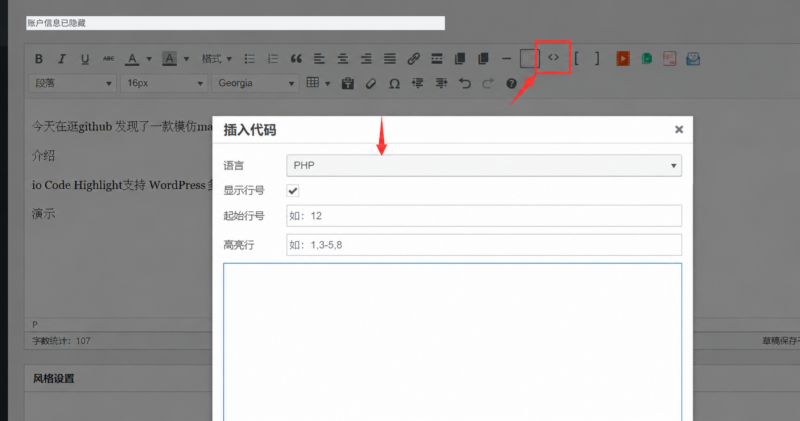
按钮示例使用 WordPress 经典可视化编辑器的 TinyMCE 接口,也适用于相应版本支持的经典区块;它不会直接变成区块编辑器的原生工具栏按钮。短代码本身可以手动写入文章。
1. 创建文件目录
- 在当前主题或子主题根目录建立
shortcodes文件夹。 - 在里面建立
index.php,集中加载按钮脚本和短代码处理文件。 - 为不同功能分别建目录。登录查看功能放入
hide_codes。 - 在
hide_codes内建立hide_codes.php与hide_codes.js。 - 背景菜单放入
background/background.js。需要图片按钮时,可以自行准备约35×35的小图标:隐藏按钮使用hide.png;背景菜单及四个选项分别使用background.png、rad_background.png、green_background.png、blue_background.png、yellow_background.png,放在对应 JS 同目录。下面默认使用文字按钮,准备好图标后启用代码中相应的image行。 - 最后在主题的
functions.php中加入require_once get_theme_file_path( '/shortcodes/index.php' );,加载入口文件。
index.php 和 functions.php 都是文件。若把示例粘贴到已有 PHP 文件中,不要重复加入开头的 <?php。更换主题后,需要一并保留或迁移这套短代码处理逻辑,原文章才能继续正确解析。
2. 编写 shortcodes/index.php
这个文件把两个按钮加入 TinyMCE,并注册对应 JS 地址,然后通过磁盘路径载入 PHP 文件。
<?php
// 由主题 functions.php 加载本文件;PHP 文件使用路径,JS 文件使用 URL。
function ue_demo_register_shortcode_buttons( $buttons ) {
    $buttons[] = '|';
    $buttons[] = 'cntent_hide_codes';
    $buttons[] = 'cntent_background';
    return $buttons;
}
add_filter( 'mce_buttons', 'ue_demo_register_shortcode_buttons' );

function ue_demo_add_shortcode_plugins( $plugins ) {
    $plugins['cntent_hide_codes'] = get_theme_file_uri( '/shortcodes/hide_codes/hide_codes.js' );
    $plugins['cntent_background'] = get_theme_file_uri( '/shortcodes/background/background.js' );
    return $plugins;
}
add_filter( 'mce_external_plugins', 'ue_demo_add_shortcode_plugins' );

// 后续有其他短代码处理文件时,在数组中逐行添加。
$ue_demo_shortcode_files = array(
    'shortcodes/hide_codes/hide_codes.php',
);
foreach ( $ue_demo_shortcode_files as $ue_demo_shortcode_file ) {
    require_once get_theme_file_path( '/' . $ue_demo_shortcode_file );
}
unset( $ue_demo_shortcode_files, $ue_demo_shortcode_file );
mce_external_plugins 提供“插件标识 → JS URL”的映射;mce_buttons 决定工具栏显示哪些按钮。这里沿用 cntent_hide_codes 和 cntent_background 作为标识,它们要和 JS 中的注册名称一致。前缀可以自定义,并非 WordPress 强制使用的名称;修改时需要同步修改所有对应位置。
PHP 函数使用 ue_demo_ 前缀,避免 add_plugin、register_button 这类通用名称与其他代码重复。后续添加功能时,在按钮列表、插件映射和处理文件列表中加入对应项即可。
3. 编写 hide_codes.php
不带属性的隐藏内容和带背景颜色的隐藏内容,可以由同一个函数处理,避免重复声明同名函数。下面同时注册了后面背景菜单需要的四个短代码。
<?php
// 同一个回调同时支持 [hidden] 和 [hidden color="000000"]。
function ue_demo_content_hide_codes( $atts, $content = null ) {
    $atts = shortcode_atts(
        array( 'color' => '' ),
        $atts,
        'hidden'
    );

    // 不传颜色时沿用页面样式;传入时只接受合法十六进制颜色。
    $style = '';
    if ( '' !== $atts['color'] ) {
        $color = sanitize_hex_color_no_hash( (string) $atts['color'] );
        if ( ! $color ) {
            $color = '000000';
        }
        $style = ' style="background-color: #' . esc_attr( $color ) . ';"';
    }

    if ( is_user_logged_in() ) {
        // 登录后才处理和返回被包住的内容,包括其中其他短代码。
        return '<div class="leaf_logged_in leaf_div_block">'
            . '<div class="leaf_logged_in_text"' . $style . '>'
            . do_shortcode( (string) $content )
            . '</div></div>';
    }

    $login_url = wp_login_url( get_permalink() );
    return '<div class="leaf_not_logged_in leaf_div_block">'
        . '<p class="leaf_not_logged_in_text"' . $style . '>'
        . '请先<a href="' . esc_url( $login_url ) . '">登录</a>,再查看隐藏内容。'
        . '</p></div>';
}
add_shortcode( 'hidden', 'ue_demo_content_hide_codes' );

// 为后面的四种背景按钮提供对应的前台处理逻辑。
function ue_demo_background_shortcode( $atts, $content = null, $tag = '' ) {
    $colors = array(
        'radback'    => '#ff0000',
        'greenback'  => '#00ff00',
        'blueback'   => '#0000ff',
        'yellowback' => '#ffff00',
    );
    if ( ! isset( $colors[ $tag ] ) ) {
        return '';
    }

    return '<div class="leaf_div_block" style="background-color: '
        . esc_attr( $colors[ $tag ] ) . ';">'
        . do_shortcode( (string) $content ) . '</div>';
}
add_shortcode( 'radback', 'ue_demo_background_shortcode' );
add_shortcode( 'greenback', 'ue_demo_background_shortcode' );
add_shortcode( 'blueback', 'ue_demo_background_shortcode' );
add_shortcode( 'yellowback', 'ue_demo_background_shortcode' );
shortcode_atts() 合并允许使用的属性;color 只接受 3 位或 6 位十六进制颜色,也兼容输入前面的 #。不传颜色时沿用页面样式,传入无效值时回到黑色。
登录用户得到 hidden 中间的内容,里面其他短代码由 do_shortcode() 处理。未登录用户只得到登录提示和链接。不要把同名 hidden 短代码层层嵌套,WordPress 的短代码解析器有嵌套限制。
登录状态相关的页面缓存要正确隔离,不能把登录后的完整页面缓存给匿名访客。部署时分别用登录和未登录状态检查页面源码、摘要和其他展示入口,确认只有预期的内容可见。
4. 编写 hide_codes.js
按钮提供两个选项,分别插入普通隐藏内容和带颜色属性的隐藏内容。选中一段文字后点击,会把选中内容包在成对的短代码中;没有选中内容时,使用占位文字。
(function (tinymce) {
    'use strict';

    tinymce.PluginManager.add('cntent_hide_codes', function (editor, url) {
        function insertHidden(withColor) {
            var selected = editor.selection.getContent({ format: 'html' });
            var content = selected || '需要隐藏的内容';
            var opening = withColor ? '[hidden color="000000"]' : '[hidden]';
            editor.insertContent(opening + content + '[/hidden]');
        }

        editor.addButton('cntent_hide_codes', {
            type: 'menubutton',
            title: '登录查看内容',
            text: '登录查看',
            icon: false,
            // 如已准备好图标,可启用下一行;url 是当前 JS 所在目录。
            // image: url + '/hide.png',
            menu: [
                {
                    text: '插入普通隐藏内容',
                    onclick: function () {
                        insertHidden(false);
                    }
                },
                {
                    text: '插入带背景颜色的隐藏内容',
                    onclick: function () {
                        insertHidden(true);
                    }
                }
            ]
        });
    });
})(window.tinymce);普通写法:[hidden]需要隐藏的内容[/hidden]
带颜色写法:[hidden color="000000"]需要隐藏的内容[/hidden]。把 000000 换成需要的十六进制背景颜色即可。
一次点击只插入一种写法,不要连续执行两次替换选区。按钮的作用是帮助写入短代码,前台展示仍由 PHP 回调完成。
5. 增加背景颜色下拉菜单
将下面的代码保存为 shortcodes/background/background.js。红、绿、蓝、黄四个选项分别插入 radback、greenback、blueback、yellowback,与前面的 PHP 注册和颜色映射对应。
(function (tinymce) {
    'use strict';

    tinymce.PluginManager.add('cntent_background', function (editor, url) {
        function item(label, tag, imageFile) {
            return {
                text: label,
                value: tag,
                icon: false,
                // 准备好相应图标后,可启用下一行。
                // image: url + '/' + imageFile,
                onclick: function () {
                    var selected = editor.selection.getContent({ format: 'html' });
                    var content = selected || '在此输入内容';
                    editor.insertContent('[' + tag + ']' + content + '[/' + tag + ']');
                }
            };
        }

        editor.addButton('cntent_background', {
            type: 'menubutton',
            title: '文字背景颜色',
            text: '背景颜色',
            icon: false,
            // image: url + '/background.png',
            menu: [
                item('红色背景', 'radback', 'rad_background.png'),
                item('绿色背景', 'greenback', 'green_background.png'),
                item('蓝色背景', 'blueback', 'blue_background.png'),
                item('黄色背景', 'yellowback', 'yellow_background.png')
                // 更多选项需要同时补充 PHP 颜色映射和 add_shortcode 注册。
            ]
        });
    });
})(window.tinymce);
例如红色背景会插入 [radback]在此输入内容[/radback]。这里保留 radback 这个既有标识,PHP 和 JS 保持一致即可。添加更多颜色时,同时增加菜单项、PHP 颜色映射及 add_shortcode() 注册。
PHP 函数通过 return 返回 HTML,不直接输出;颜色和登录链接分别在对应的 HTML 上下文中转义。按钮 ID、JS 路径、短代码标签及 PHP 回调是四组不同的概念,把各自的对应关系写清楚,后面扩展其他短代码会更方便。
相关接口
WordPress Shortcode API · mce_external_plugins · mce_buttons · get_theme_file_uri








暂无评论内容