


网页截图 API 可以用 PHP 接收参数,再通过 Browsershot 调用 Puppeteer 和 Chrome 完成页面渲染。要把接口搭起来,除了截图代码,还需要把运行库、浏览器路径和服务器环境配齐。下面这类只给出调用片段的教程,往往缺少这些步骤。
下面按本地安装、接口代码、云端部署和报错排查四部分整理,把整个流程连起来。
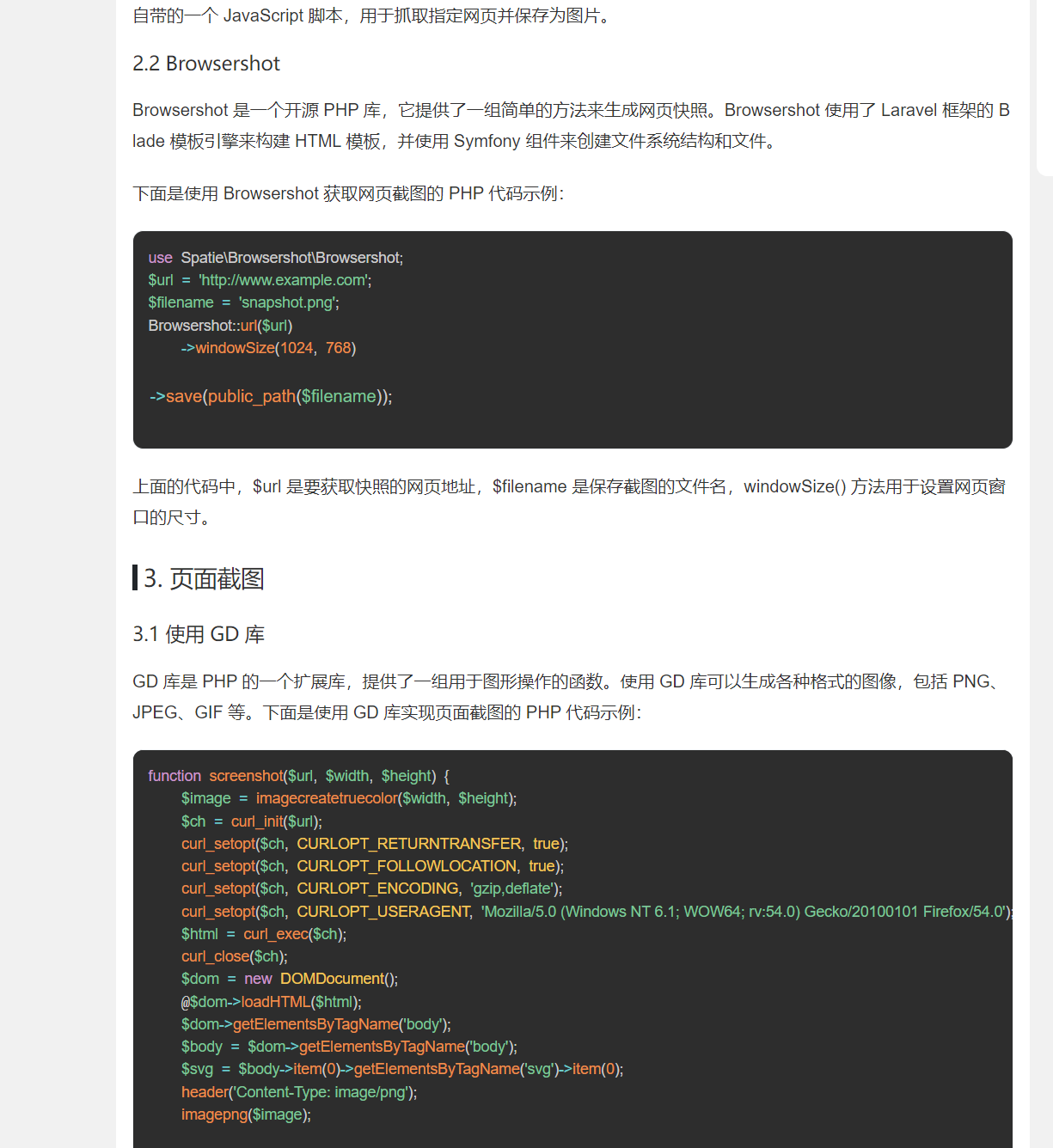
wkhtmltoimage 也能由 PHP 调用来生成网页快照,接入比较简单,但旧渲染引擎在现代网页上的显示效果可能不理想。
遇到样式错位时,需要同时检查 CSS、JavaScript 是否加载完成,以及渲染引擎本身是否支持页面使用的特性。下面先看 wkhtmltoimage 的特点。
wkhtmltoimage:
- 底层技术: 使用 WebKit 引擎(与旧版 Safari 相同)。WebKit 引擎的版本比较老,所以在某些现代网页上可能不支持最新的 HTML5 和 CSS3 特性。
- 优点: 安装简单,配置较少,适合快速生成截图。
- 缺点: 由于 WebKit 引擎较旧,它可能无法很好地支持最新的网页技术。
如果页面依赖较新的 HTML、CSS 和 JavaScript,可以考虑 Browsershot。它从 PHP 调用 Puppeteer,再交给 Chrome 渲染,下面介绍具体配置。
1.在本地部署
可以先在本地把依赖、路径和调用过程理顺,再移到云端部署、测试和运行。如果服务器能顺利安装依赖,也可以直接在云端完成这些步骤。
下面保留示例所用的历史环境版本,便于对照截图。新建项目时应按所选 Browsershot 版本的官方环境要求配置依赖,不能把旧版本清单直接套用到最新版。
- PHP · 7.4
- Node.js · 18.16.0
- Npm · 9.5.1
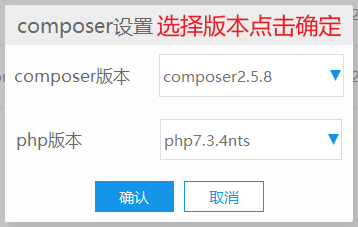
- Composer · 2.5.8
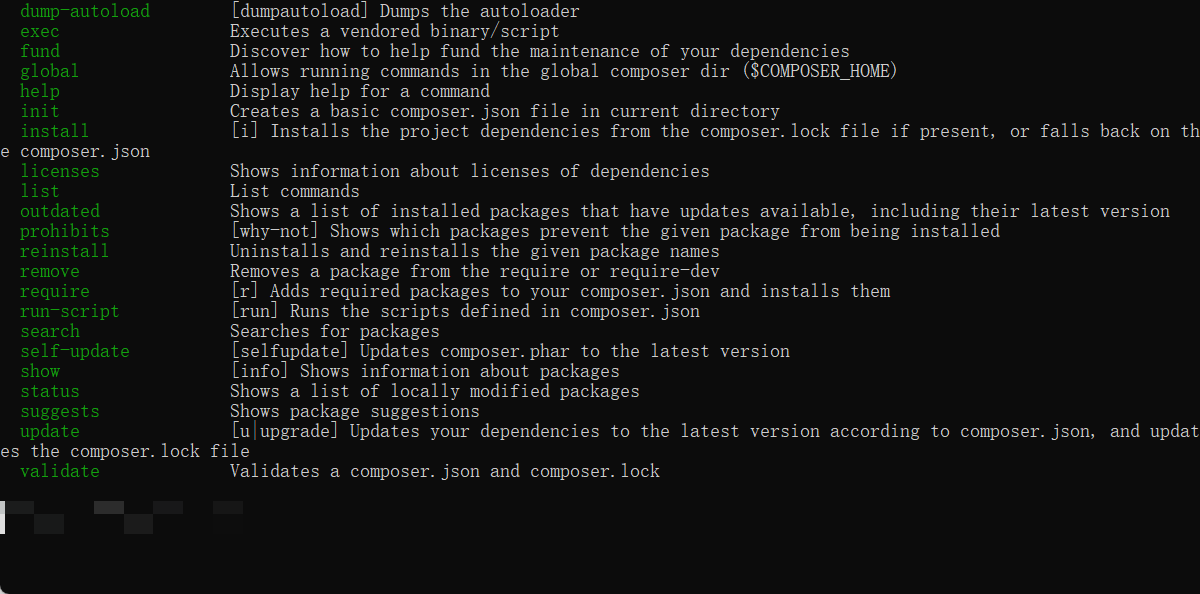
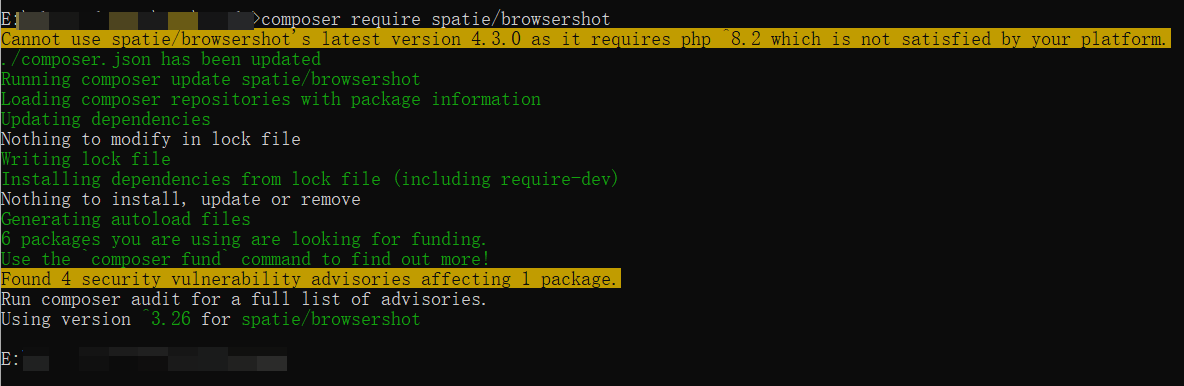
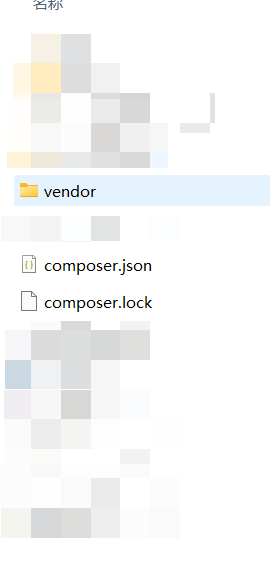
首先现在 Composer 的命令窗口运行指令,也就是 composer require spatie/browsershot
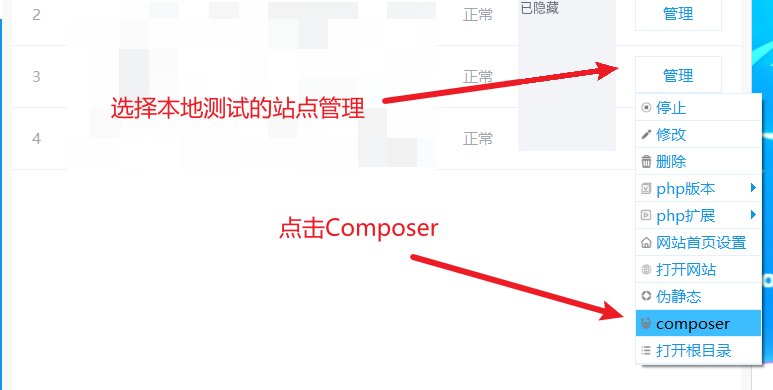
如何打开 Composer ?
图列
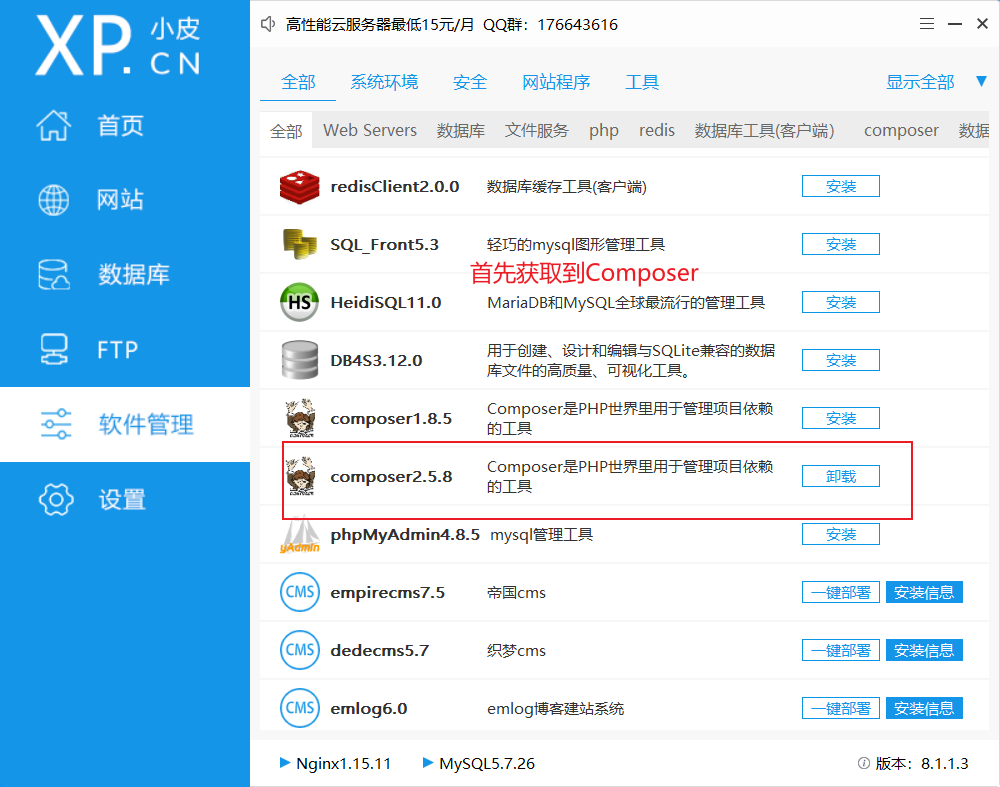
然后vs中在根目录打开终端输入 npm install puppeteer
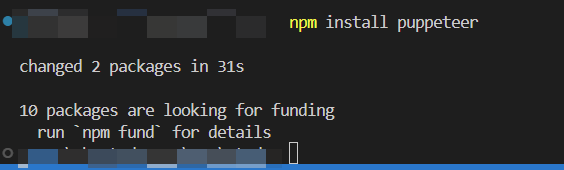
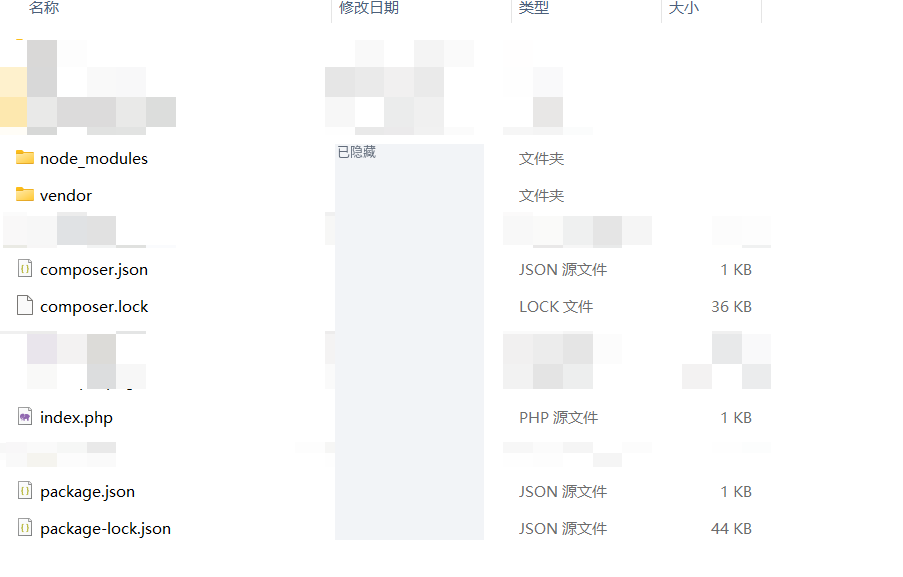
终端显示依赖安装完成后,可以继续下一步。
本地依赖准备到这里结束;直接在云端安装时,也需要完成相同的依赖和浏览器配置。
代码部分
在 index.php 中填写下面的代码。它保留了 URL、宽高、输出格式和全页截图参数,以及按站点保存截图的处理。
这个基础示例只适合隔离环境中的受信任目标地址。对外提供接口前,应增加身份验证、目标白名单及网络出口限制,检查重定向和子资源请求,禁止访问内网、本机及云元数据地址,同时限制截图尺寸、并发和执行时间。仅使用 FILTER_SANITIZE_URL 不能防止 SSRF。参见 OWASP 的 SSRF 防护说明。Chrome 应以低权限账户运行并保留沙箱,相关环境要求可查Puppeteer 官方说明。
<?php
require 'vendor/autoload.php';

use Spatie\Browsershot\Browsershot;

// 获取 URL 参数,默认为 limoe-studio.com
$url = isset($_GET['url']) ? filter_var($_GET['url'], FILTER_SANITIZE_URL) : 'limoe-studio.com';

// 处理 URL 前缀
if (!preg_match('/^https?:\/\//', $url)) {
  $url = 'https://' . $url;  // 默认使用 HTTPS
}

// 获取图片宽度、高度、输出类型和全页截图参数
$desiredWidth = isset($_GET['w']) && is_numeric($_GET['w']) ? (int)$_GET['w'] : 1920;
$desiredHeight = isset($_GET['h']) && is_numeric($_GET['h']) ? (int)$_GET['h'] : 1080;
$type = isset($_GET['type']) ? $_GET['type'] : 'img';  // 默认返回图片
$all = isset($_GET['all']) && $_GET['all'] === 'long';  // 是否全页截图

// 生成唯一的文件名和目录
$host = parse_url($url, PHP_URL_HOST);
$timestamp = date('Y-m-d_H-i-s');
$randomString = bin2hex(random_bytes(8));
$filename = "{$timestamp}_{$randomString}.png";
$dir = __DIR__ . "/screenshots/$host";
$output = "$dir/$filename";

// 创建目录,如果不存在
if (!file_exists($dir)) {
  mkdir($dir, 0755, true);
}

// 删除最早的截图以限制数量为 5 张
$files = glob("$dir/*.png");
if (count($files) >= 5) {
  usort($files, function ($a, $b) {
    return filemtime($a) - filemtime($b);
  });
  unlink($files[0]);
}

try {
  $browsershot = Browsershot::url($url)
    ->timeout(60)  // 设置超时(秒)
    ->windowSize($desiredWidth, $desiredHeight)  // 设置浏览器视口的尺寸
    ->setChromePath('/home/www/.cache/puppeteer/chrome/linux-128.0.6613.119/chrome-linux64/chrome');//这是示例谷歌浏览器绝对路径,请确保权限为755or775,可以使用浏览器,否则会出现一系列问题

  if ($all) {
    $browsershot->fullPage();  // 截取完整页面
  }

  $browsershot->save($output);

  // 检查截图是否成功保存
  if (file_exists($output)) {
    $imageUrl = "https://{$_SERVER['HTTP_HOST']}/api/web-screenshot/screenshots/$host/$filename";

    if ($type === 'json') {
      echo json_encode([
        'status' => 'success',
        'message' => 'Screenshot saved successfully.',
        'image_url' => $imageUrl
      ]);
    } else {
      header('Content-Type: image/png');
      readfile($output);
    }
  } else {
    if ($type === 'json') {
      echo json_encode([
        'status' => 'error',
        'message' => 'Error saving screenshot.'
      ]);
    } else {
      echo "Error saving screenshot.";
    }
  }
} catch (Exception $e) {
  if ($type === 'json') {
    echo json_encode([
      'status' => 'error',
      'message' => 'An error occurred: ' . $e->getMessage()
    ]);
  } else {
    echo "An error occurred: " . $e->getMessage();
  }
}
重要代码:
->setChromePath('/home/www/.cache/puppeteer/chrome/linux-128.0.6613.119/chrome-linux64/chrome'); 用来指定 Chrome 可执行文件。这里是示例路径,必须改成实际安装路径,并确保运行 PHP 的账户具有所需的读取和执行权限。
->timeout(60) 表示 60 秒。Browsershot 的 timeout 参数单位是秒,可按页面加载耗时调整,详见官方超时说明。
部署云端
本地能够截图,不代表上传文件后云端就能直接运行。云端也需要安装适配服务器系统的 Chrome,并检查依赖、运行账户及浏览器路径。
示例所用的运行库和服务器版本如下:
- 运行库 · 运行版本
- Browsershot · 3.26
- puppeteer · 23.3.0
- Chrome · 128.0.6613.119
- 云端数据 · 云端版本
- 系统 · Ubuntu 22
- 服务器 · 2H2G
- 面板 · 宝塔
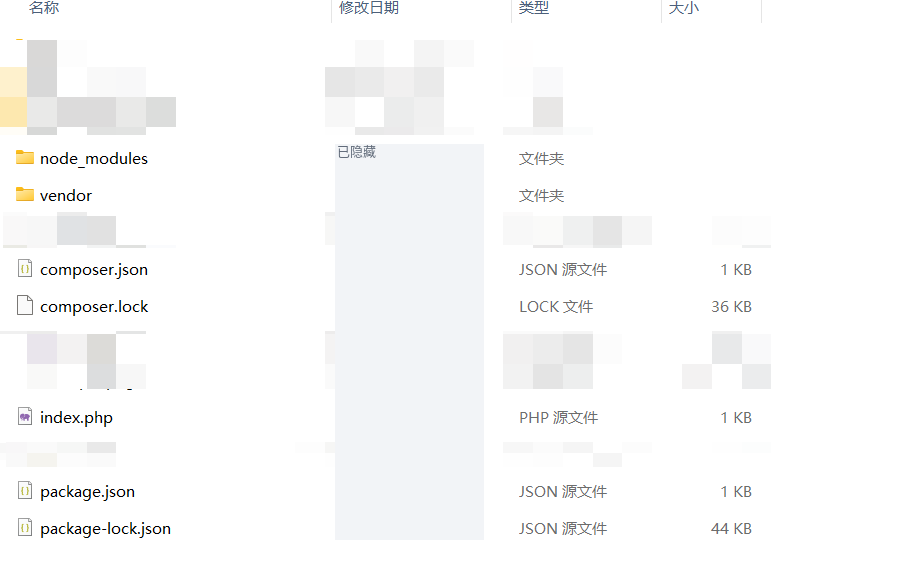
将项目文件放到云端的 API 目录中:
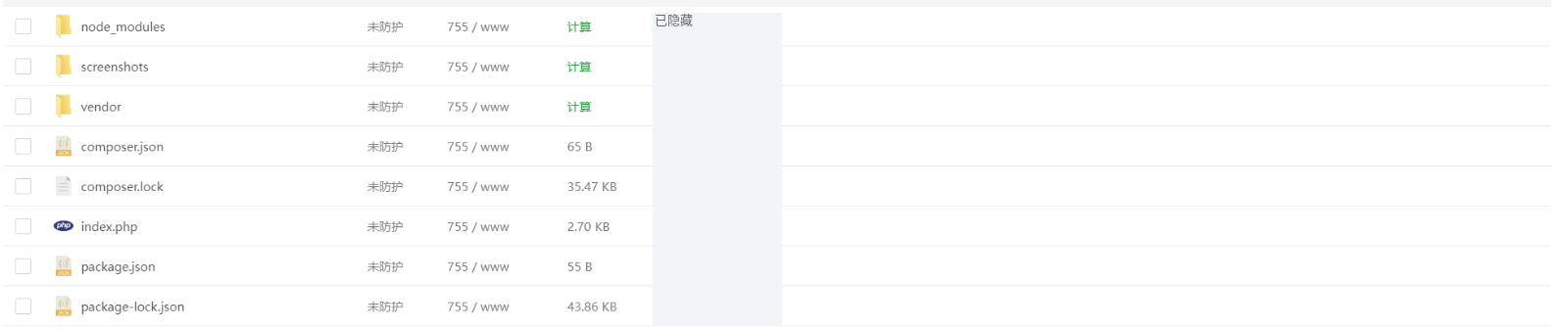
图中列出了项目目录与依赖文件;此外,云端仍需具备前面提到的浏览器和系统依赖。
常见问题排查
下面保留六类报错及对应处理方法,方便按错误信息定位问题。
1.文件引用
Fatal error: Uncaught Error: Class 'Spatie\Browsershot\Browsershot' not found in /www/wwwroot/域名/api/web/index.php:5 Stack trace: #0 {main} thrown in /www/wwwroot/域名/api/web/index.php on line 5解决办法:尝试清除 Composer 缓存,并重新安装依赖项
composer clear-cache
composer install
2.没有安装Puppeteer
Fatal error: Uncaught Symfony\Component\Process\Exception\ProcessFailedException: The command "node ^"E:^\phpstudy_pro^\WWW^\study^\vendor^\spatie^\browsershot^\src/../bin/browser.js^" ^"^{^\^"url^\^":^\^"https:^\/^\/www.baidu.com^\^",^\^"action^\^":^\^"screenshot^\^",^\^"options^\^":^{^\^"type^\^":^\^"png^\^",^\^"path^\^":^\^"example.png^\^",^\^"args^\^":^[^],^\^"viewport^\^":^{^\^"width^\^":800,^\^"height^\^":600^}^}^}^"" failed. Exit Code: 1(General error) Working directory: E:\phpstudy_pro\WWW\study Output: ================ Error Output: ================ node:internal/modules/cjs/loader:1078 throw err; ^ Error: Cannot find module 'puppeteer' Require stack: - E:\phpstudy_pro\WWW\study\vendor\spatie\browsershot\bin\browser.js at Module._resolveFilename (node:internal/modules/cjs/loader:1075:15) at Module._load (node:internal/modules/cjs/loader:920:27) at Module.require (node:internal/modules/cjs/loader:1141:19) at require (node:internal/modules/cjs/helpers:110:18) at Object.<anon in E:\phpstudy_pro\WWW\study\vendor\spatie\browsershot\src\Browsershot.php on line 596解决办法:尝试安装Puppeteer为Browsershot通过依赖
npm install puppeteer
3.页面导航超时
Fatal error: Uncaught Symfony\Component\Process\Exception\ProcessFailedException: The command "node ^"E:^\phpstudy_pro^\WWW^\study^\vendor^\spatie^\browsershot^\src/../bin/browser.js^" ^"^{^\^"url^\^":^\^"https:^\/^\/www.baidu.com^\^",^\^"action^\^":^\^"screenshot^\^",^\^"options^\^":^{^\^"type^\^":^\^"png^\^",^\^"path^\^":^\^"example.png^\^",^\^"args^\^":^[^],^\^"viewport^\^":^{^\^"width^\^":800,^\^"height^\^":600^}^}^}^"" failed. Exit Code: 1(General error) Working directory: E:\phpstudy_pro\WWW\study Output: ================ Error Output: ================ Error: net::ERR_TIMED_OUT at https://www.baidu.com at navigate (E:\phpstudy_pro\WWW\study\node_modules\puppeteer-core\lib\cjs\puppeteer\cdp\Frame.js:183:27) at async Deferred.race (E:\phpstudy_pro\WWW\study\node_modules\puppeteer-core\lib\cjs\puppeteer\util\Deferred.js:36:20) at async CdpFrame.goto (E:\phpstudy_pro\WWW\study\node_modules\puppeteer-core\lib\cjs\puppeteer\cdp\Frame.js:149:25) at async CdpPage.goto (E:\phpstudy_pro\WWW\study\node_mod in E:\phpstudy_pro\WWW\study\vendor\spatie\browsershot\src\Browsershot.php on line 596解决办法:先检查目标地址与网络是否可达,再按需要调整 PHP 中的超时设置。单纯延长超时不能解决连接失败。
Browsershot::url('https://www.baidu.com')
    ->timeout(60) // 设置超时时间为 60 秒
4.网址填写错误
PS E:\phpstudy_pro\WWW\study> php "e:\phpstudy_pro\WWW\study\index.php"

Fatal error: Uncaught Symfony\Component\Process\Exception\ProcessFailedException: The command "node ^"E:^\phpstudy_pro^\WWW^\study^\vendor^\spatie^\browsershot^\src/../bin/browser.js^" ^"^{^\^"url^\^":^\^"www.baidu.com^\^",^\^"action^\^":^\^"screenshot^\^",^\^"options^\^":^{^\^"type^\^":^\^"png^\^",^\^"path^\^":^\^"example.png^\^",^\^"args^\^":^[^],^\^"viewport^\^":^{^\^"width^\^":800,^\^"height^\^":600^},^\^"delay^\^":3000,^\^"timeout^\^":60000^}^}^"" failed.

Exit Code: 1(General error)

Working directory: E:\phpstudy_pro\WWW\study

Output:
================

Error Output:
================
ProtocolError: Protocol error (Page.navigate): Cannot navigate to invalid URL
    at <instance_members_initializer> (E:\phpstudy_pro\WWW\study\node_modules\puppeteer-core\lib\cjs\puppeteer\common\CallbackRegistry.js:93:14)
    at new Callback (E:\phpstudy_pro\WWW\study\node_modules\puppeteer-core\lib\cjs\puppeteer\common\CallbackRegistry.js:97:16)
    at CallbackRegistry.create (E:\phpstudy_pro\WWW\study\node_modules\puppeteer-core\lib\cjs\puppeteer\common\CallbackRegistry.js:22:26)
    at Connection._rawSend (E:\phpstudy_pro\WWW\study\node_modules\puppeteer-core\lib\cjs\puppeteer\cdp\Connection.js:89:26)
    at CdpCDPSession.send (E:\phpstudy_pro\WWW\study\node_modules\puppeteer-core\lib\cjs\puppeteer\cdp\CDPSession.js:66:33)
    at navigate (E:\phpstudy_pro\WWW\study\node_modules\puppeteer-core\lib\cjs\puppeteer\cdp\Frame.js:172:51)
    at CdpFrame.goto (E:\phpstudy_pro\WWW\study\node_modules\puppeteer-core\lib\cjs\puppeteer\cdp\Frame.js:150:17)
    at CdpFrame.<anonymous> (E:\phpstudy_pro\WWW\study\node_modules\puppeteer-core\lib\cjs\puppeteer\util\decorators.js:98:27)
    at CdpPage.goto (E:\phpstudy_pro\WWW\study\node_modules\puppeteer-core\lib\cjs\puppeteer\api\Page.js:567:43)
    at callChrome (E:\phpstudy_pro\WWW\study\vendor\spatie\browsershot\bin\browser.js:74:20)
 in E:\phpstudy_pro\WWW\study\vendor\spatie\browsershot\src\Browsershot.php on line 596

Symfony\Component\Process\Exception\ProcessFailedException: The command "node ^"E:^\phpstudy_pro^\WWW^\study^\vendor^\spatie^\browsershot^\src/../bin/browser.js^" ^"^{^\^"url^\^":^\^"www.baidu.com^\^",^\^"action^\^":^\^"screenshot^\^",^\^"options^\^":^{^\^"type^\^":^\^"png^\^",^\^"path^\^":^\^"example.png^\^",^\^"args^\^":^[^],^\^"viewport^\^":^{^\^"width^\^":800,^\^"height^\^":600^},^\^"delay^\^":3000,^\^"timeout^\^":60000^}^}^"" failed.

Exit Code: 1(General error)

Working directory: E:\phpstudy_pro\WWW\study

Output:
================

Error Output:
================
ProtocolError: Protocol error (Page.navigate): Cannot navigate to invalid URL
    at <instance_members_initializer> (E:\phpstudy_pro\WWW\study\node_modules\puppeteer-core\lib\cjs\puppeteer\common\CallbackRegistry.js:93:14)
    at new Callback (E:\phpstudy_pro\WWW\study\node_modules\puppeteer-core\lib\cjs\puppeteer\common\CallbackRegistry.js:97:16)
    at CallbackRegistry.create (E:\phpstudy_pro\WWW\study\node_modules\puppeteer-core\lib\cjs\puppeteer\common\CallbackRegistry.js:22:26)
    at Connection._rawSend (E:\phpstudy_pro\WWW\study\node_modules\puppeteer-core\lib\cjs\puppeteer\cdp\Connection.js:89:26)
    at CdpCDPSession.send (E:\phpstudy_pro\WWW\study\node_modules\puppeteer-core\lib\cjs\puppeteer\cdp\CDPSession.js:66:33)
    at navigate (E:\phpstudy_pro\WWW\study\node_modules\puppeteer-core\lib\cjs\puppeteer\cdp\Frame.js:172:51)
    at CdpFrame.goto (E:\phpstudy_pro\WWW\study\node_modules\puppeteer-core\lib\cjs\puppeteer\cdp\Frame.js:150:17)
    at CdpFrame.<anonymous> (E:\phpstudy_pro\WWW\study\node_modules\puppeteer-core\lib\cjs\puppeteer\util\decorators.js:98:27)
    at CdpPage.goto (E:\phpstudy_pro\WWW\study\node_modules\puppeteer-core\lib\cjs\puppeteer\api\Page.js:567:43)
    at callChrome (E:\phpstudy_pro\WWW\study\vendor\spatie\browsershot\bin\browser.js:74:20)
 in E:\phpstudy_pro\WWW\study\vendor\spatie\browsershot\src\Browsershot.php on line 596

Call Stack:
    0.0001     399472   1. {main}() E:\phpstudy_pro\WWW\study\index.php:0
    0.0034     657784   2. Spatie\Browsershot\Browsershot->save($targetPath = 'example.png') E:\phpstudy_pro\WWW\study\index.php:9
0.0034 658568 3. Spatie\Browsershot\Browsershot->callBrowser($command = ['url' => 'www.baidu.com', 'action' => 'screenshot', 'options' => ['type' => 'png', 'path' => 'example.png', 'args' => [...], 'viewport' => [...], 'delay' => 3000, 'timeout' => 60000]]) E:\phpstudy_pro\WWW\study\vendor\spatie\browsershot\src\Browsershot.php:410解决办法:在php中的url参数中添加http{s}前缀
Browsershot::url('https://www.baidu.com')
    ->timeout(60) // 设置超时时间为 60 秒
5.访问超时
Fatal error: Uncaught Symfony\Component\Process\Exception\ProcessFailedException: The command "node ^"E:^\phpstudy_pro^\WWW^\study^\vendor^\spatie^\browsershot^\src/../bin/browser.js^" ^"^{^\^"url^\^":^\^"https:^\/^\/www.baidu.com^\^",^\^"action^\^":^\^"screenshot^\^",^\^"options^\^":^{^\^"type^\^":^\^"png^\^",^\^"path^\^":^\^"example.png^\^",^\^"args^\^":^[^],^\^"viewport^\^":^{^\^"width^\^":1920,^\^"height^\^":1080^},^\^"timeout^\^":30000,^\^"waitUntil^\^":^\^"networkidle0^\^"^}^}^"" failed. Exit Code: 1(General error) Working directory: E:\phpstudy_pro\WWW\study Output: ================ Error Output: ================ Error: net::ERR_TIMED_OUT at https://www.baidu.com at navigate (E:\phpstudy_pro\WWW\study\node_modules\puppeteer-core\lib\cjs\puppeteer\cdp\Frame.js:183:27) at async Deferred.race (E:\phpstudy_pro\WWW\study\node_modules\puppeteer-core\lib\cjs\puppeteer\util\Deferred.js:36:20) at async CdpFrame.goto (E:\phpstudy_pro\WWW\study\node_modules\puppeteer-core\lib\cjs\puppeteer\cdp\Frame.js:149:25) in E:\phpstudy_pro\WWW\study\vendor\spatie\browsershot\src\Browsershot.php on line 596解决办法:检查自己的网络是否正常
6.未找到浏览器
Fatal error: Uncaught Symfony\Component\Process\Exception\ProcessFailedException: The command "PATH=$PATH:/usr/local/bin NODE_PATH=npm root -g node '/www/wwwroot/域名/api/web/vendor/spatie/browsershot/src/../bin/browser.js' '{"url":"https:\/\/www.baidu.com","action":"screenshot","options":{"type":"png","path":"example.png","args":[],"viewport":{"width":1920,"height":1080},"timeout":60000000}}'" failed. Exit Code: 1(General error) Working directory: /www/wwwroot/域名/api/web Output: ================ Error Output: ================ npm WARN config init.module Use --init-module instead. Error: Could not find Chrome (ver. 128.0.6613.119). This can occur if either 1. you did not perform an installation before running the script (e.g. npx puppeteer browsers install ${browserType}) or 2. your cache path is incorrectly configured (which is: /home/www/.cache/puppeteer). For (2), check out our guide on configuring puppeteer at https://pptr.dev/guides/configuration. at ChromeLauncher.resolveExecutablePath in /www/wwwroot/域名/api/web/vendor/spatie/browsershot/src/Browsershot.php on line 596解决办法:检查 PHP 中设置的浏览器路径及运行账户权限。示例路径为 /home/www/.cache/puppeteer/chrome/linux-128.0.6613.119/chrome-linux64/chrome。
终端账户和 Web 服务账户可能使用不同的主目录,因此终端看到的 /home/ubuntu/.cache/ 与 Web 进程使用的 /home/www/.cache/ 未必一致。可以把浏览器部署到运行账户可访问的位置,也可以统一配置缓存目录;关键是安装时与运行时的路径保持一致,并保持最小必要权限。
也可以使用项目目录中的浏览器缓存,但需要按Puppeteer 配置说明设置缓存目录,并实际验证当前环境,不能只修改路径就假定可用。
$browsershot = Browsershot::url($url)
        ->setChromePath('/home/www/.cache/puppeteer/chrome/linux-128.0.6613.119/chrome-linux64/chrome');
其余问题可以继续从 PHP 依赖、Node 模块、浏览器可执行文件和系统环境这几项逐一检查。










暂无评论内容