


FastAPI 并不要求你使用 SQL(关系型)数据库。你可以使用你想用的任何数据库。
这里,我们来看一个使用 SQLModel 的示例。
SQLModel 基于 SQLAlchemy 和 Pydantic 构建。它由 FastAPI 的同一作者制作,旨在完美匹配需要使用SQL 数据库的 FastAPI 应用程序。
由于 SQLModel 基于 SQLAlchemy,因此你可以轻松使用任何由 SQLAlchemy 支持的数据库(这也让它们被 SQLModel 支持),例如:
- PostgreSQL
- MySQL
- SQLite
- Oracle
- Microsoft SQL Server 等
在这个示例中,我们将使用 SQLite,因为它使用单个文件,并且 Python 对其有集成支持。因此,你可以直接复制这个示例并运行。
之后,对于你的生产应用程序,你可能会想要使用像 PostgreSQL 这样的数据库服务器。
这是一个非常简单和简短的教程。如果你想了解一般的数据库、SQL 或更高级的功能,请查看 SQLModel 文档。
安装 SQLModel
将 sqlmodel 添加到你的项目中:
$ uv add sqlmodel
---> 100%
创建含有单一模型的应用
我们先创建应用的最简单的第一个版本,只有一个 SQLModel 模型。
稍后我们将通过下面的多个模型提高其安全性和多功能性。🤓
创建模型
导入 SQLModel 并创建一个数据库模型:
from typing import Annotated

from fastapi import Depends, FastAPI, HTTPException, Query
from sqlmodel import Field, Session, SQLModel, create_engine, select


class Hero(SQLModel, table=True):
    id: int | None = Field(default=None, primary_key=True)
    name: str = Field(index=True)
    age: int | None = Field(default=None, index=True)
    secret_name: str
Hero 类与 Pydantic 模型非常相似(实际上,从底层来看,它确实就是一个 Pydantic 模型)。
有一些区别:
table=True会告诉 SQLModel 这是一个表模型,它应该表示 SQL 数据库中的一个表,而不仅仅是一个数据模型(就像其他常规的 Pydantic 类一样)。Field(primary_key=True)会告诉 SQLModelid是 SQL 数据库中的主键(你可以在 SQLModel 文档中了解更多关于 SQL 主键的信息)。注意: 我们为主键字段使用
int | None,这样在 Python 代码中我们可以在没有id的情况下创建对象(id=None),并假定数据库会在保存时生成它。SQLModel 会理解数据库会提供id,并在数据库模式中将该列定义为非空的INTEGER。详见 SQLModel 关于主键的文档。Field(index=True)会告诉 SQLModel 应该为此列创建一个 SQL 索引,这样在读取按此列过滤的数据时,程序能在数据库中进行更快的查找。SQLModel 会知道声明为
str的内容将是类型为TEXT(或VARCHAR,具体取决于数据库)的 SQL 列。
创建引擎(Engine)
SQLModel 的 engine(实际上它是一个 SQLAlchemy 的 engine)是用来与数据库保持连接的。
你只需构建一个 engine 对象,让你的所有代码连接到同一个数据库。
sqlite_file_name = "database.db"
sqlite_url = f"sqlite:///{sqlite_file_name}"

connect_args = {"check_same_thread": False}
engine = create_engine(sqlite_url, connect_args=connect_args)
使用 check_same_thread=False 可以让 FastAPI 在不同线程中使用同一个 SQLite 数据库。这很有必要,因为单个请求可能会使用多个线程(例如在依赖项中)。
不用担心,我们会按照代码结构确保每个请求使用一个单独的 SQLModel 会话(session),这实际上就是 check_same_thread 想要实现的。
创建表
然后,我们来添加一个函数,使用 SQLModel.metadata.create_all(engine) 为所有表模型创建表。
def create_db_and_tables():
    SQLModel.metadata.create_all(engine)
创建会话(Session)依赖项
Session 会存储内存中的对象并跟踪数据中所需更改的内容,然后它使用 engine 与数据库进行通信。
我们会使用 yield 创建一个 FastAPI 依赖项,为每个请求提供一个新的 Session。这确保我们每个请求使用一个单独的会话。🤓
然后我们创建一个 Annotated 的依赖项 SessionDep 来简化其他也会用到此依赖的代码。
def get_session():
    with Session(engine) as session:
        yield session


SessionDep = Annotated[Session, Depends(get_session)]
在启动时创建数据库表
我们会在应用程序启动时创建数据库表。
app = FastAPI()


@app.on_event("startup")
def on_startup():
    create_db_and_tables()
此处,在应用程序启动事件中,我们创建了表。
在生产环境中,你可能会使用一个在启动应用程序之前运行的迁移脚本。🤓
创建 Hero
因为每个 SQLModel 模型同时也是一个 Pydantic 模型,所以你可以在与 Pydantic 模型相同的类型注解中使用它。
例如,如果你声明一个类型为 Hero 的参数,它将从 JSON 主体中读取数据。
同样,你可以将其声明为函数的返回类型,然后数据的结构就会显示在自动生成的 API 文档界面中。
@app.post("/heroes/")
def create_hero(hero: Hero, session: SessionDep) -> Hero:
    session.add(hero)
    session.commit()
    session.refresh(hero)
    return hero
这里,我们使用 SessionDep 依赖项(一个 Session)将新的 Hero 添加到 Session 实例中,提交更改到数据库,刷新 hero 中的数据,并返回它。
读取 Hero
我们可以使用 select() 从数据库中读取 Hero,并利用 limit 和 offset 来对结果进行分页。
@app.get("/heroes/")
def read_heroes(
    session: SessionDep,
    offset: int = 0,
    limit: Annotated[int, Query(le=100)] = 100,
) -> list[Hero]:
    heroes = session.exec(select(Hero).offset(offset).limit(limit)).all()
    return heroes
读取单个 Hero
我们可以读取单个 Hero。
@app.get("/heroes/{hero_id}")
def read_hero(hero_id: int, session: SessionDep) -> Hero:
    hero = session.get(Hero, hero_id)
    if not hero:
        raise HTTPException(status_code=404, detail="Hero not found")
    return hero
删除单个 Hero
我们也可以删除一个 Hero。
@app.delete("/heroes/{hero_id}")
def delete_hero(hero_id: int, session: SessionDep):
    hero = session.get(Hero, hero_id)
    if not hero:
        raise HTTPException(status_code=404, detail="Hero not found")
    session.delete(hero)
    session.commit()
    return {"ok": True}
运行应用
你可以运行这个应用:
$ uv run fastapi dev

INFO:     Uvicorn running on http://127.0.0.1:8000 (Press CTRL+C to quit)
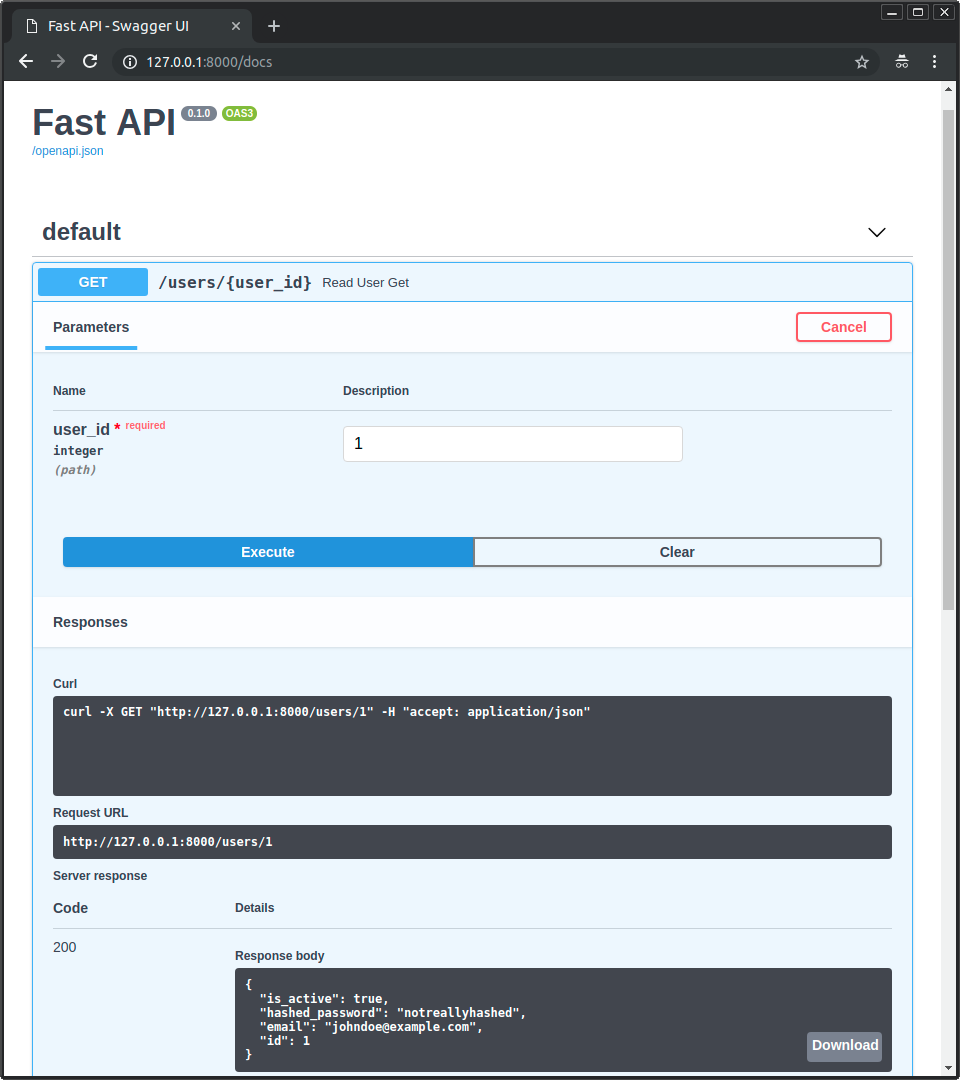
然后在 /docs UI 中,你能够看到 FastAPI 会用这些模型来记录 API,并且还会用它们来序列化和验证数据。
使用多个模型更新应用
现在让我们稍微重构一下这个应用,以提高安全性和多功能性。
如果你查看之前的应用程序,你可以在 UI 界面中看到,到目前为止,它允许客户端决定要创建的 Hero 的 id。😱
我们不应该允许这样做,因为他们可能会覆盖我们在数据库中已经分配的 id。决定 id 的行为应该由后端或数据库来完成,而非客户端。
此外,我们为 hero 创建了一个 secret_name,但到目前为止,我们在各处都返回了它,这就不太秘密了……😅
我们将通过添加一些额外的模型来解决这些问题,而 SQLModel 将在这里大放异彩。✨
创建多个模型
在 SQLModel 中,任何含有 table=True 属性的模型类都是一个表模型。
任何不含有 table=True 属性的模型类都是数据模型,这些实际上只是 Pydantic 模型(附带一些小的额外功能)。🤓
有了 SQLModel,我们就可以利用继承来在所有情况下避免重复所有字段。
HeroBase – 基类
我们从一个 HeroBase 模型开始,该模型具有所有模型共享的字段:
nameage
class HeroBase(SQLModel):
    name: str = Field(index=True)
    age: int | None = Field(default=None, index=True)
Hero – 表模型
接下来,我们创建 Hero,实际的表模型,并添加那些不总是在其他模型中的额外字段:
idsecret_name
因为 Hero 继承自 HeroBase,所以它也包含了在 HeroBase 中声明过的字段。因此 Hero 的所有字段为:
idnameagesecret_name
class HeroBase(SQLModel):
    name: str = Field(index=True)
    age: int | None = Field(default=None, index=True)


class Hero(HeroBase, table=True):
    id: int | None = Field(default=None, primary_key=True)
    secret_name: str
HeroPublic – 公共数据模型
接下来,我们创建一个 HeroPublic 模型,这是将返回给 API 客户端的模型。
它包含与 HeroBase 相同的字段,因此不会包括 secret_name。
终于,我们英雄的身份得到了保护!🥷
它还重新声明了 id: int。这样我们便与 API 客户端建立了一种约定,使他们始终可以期待 id 存在并且是一个整数 int(永远不会是 None)。
HeroPublic 中的所有字段都与 HeroBase 中的相同,其中 id 声明为 int(不是 None):
idnameage
class HeroBase(SQLModel):
    name: str = Field(index=True)
    age: int | None = Field(default=None, index=True)


class Hero(HeroBase, table=True):
    id: int | None = Field(default=None, primary_key=True)
    secret_name: str


class HeroPublic(HeroBase):
    id: int
HeroCreate – 用于创建 hero 的数据模型
现在我们创建一个 HeroCreate 模型,这是用于验证客户端数据的模型。
它不仅拥有与 HeroBase 相同的字段,还有 secret_name。
现在,当客户端创建一个新的 hero 时,他们会发送 secret_name,它会被存储到数据库中,但这些 secret_name 不会通过 API 返回给客户端。
HeroCreate 的字段包括:
nameagesecret_name
class HeroBase(SQLModel):
    name: str = Field(index=True)
    age: int | None = Field(default=None, index=True)


class Hero(HeroBase, table=True):
    id: int | None = Field(default=None, primary_key=True)
    secret_name: str


class HeroPublic(HeroBase):
    id: int


class HeroCreate(HeroBase):
    secret_name: str
HeroUpdate – 用于更新 hero 的数据模型
在之前的应用程序中,我们没有办法更新 hero,但现在有了多个模型,我们便能做到这一点了。🎉
HeroUpdate 数据模型有些特殊,它包含创建新 hero 所需的所有相同字段,但所有字段都是可选的(它们都有默认值)。这样,当你更新一个 hero 时,你可以只发送你想要更新的字段。
因为所有字段实际上都发生了变化(类型现在包括 None,并且它们现在有一个默认值 None),我们需要重新声明它们。
我们并不真的需要从 HeroBase 继承,因为我们会重新声明所有字段。我会让它继承只是为了保持一致,但这并不必要。这更多是个人喜好的问题。🤷
HeroUpdate 的字段包括:
nameagesecret_name
class HeroBase(SQLModel):
    name: str = Field(index=True)
    age: int | None = Field(default=None, index=True)


class Hero(HeroBase, table=True):
    id: int | None = Field(default=None, primary_key=True)
    secret_name: str


class HeroPublic(HeroBase):
    id: int


class HeroCreate(HeroBase):
    secret_name: str


class HeroUpdate(HeroBase):
    name: str | None = None
    age: int | None = None
    secret_name: str | None = None
使用 HeroCreate 创建并返回 HeroPublic
既然我们有了多个模型,我们就可以对使用它们的应用程序部分进行更新。
我们在请求中接收到一个 HeroCreate 数据模型,然后从中创建一个 Hero 表模型。
这个新的表模型 Hero 会包含客户端发送的字段,以及一个由数据库生成的 id。
然后我们将与函数中相同的表模型 Hero 原样返回。但是由于我们使用 HeroPublic 数据模型声明了 response_model,FastAPI 会使用 HeroPublic 来验证和序列化数据。
@app.post("/heroes/", response_model=HeroPublic)
def create_hero(hero: HeroCreate, session: SessionDep):
    db_hero = Hero.model_validate(hero)
    session.add(db_hero)
    session.commit()
    session.refresh(db_hero)
return db_hero使用 HeroPublic 读取 Hero
我们可以像之前一样读取 Hero,同样,使用 response_model=list[HeroPublic] 确保正确地验证和序列化数据。
@app.get("/heroes/", response_model=list[HeroPublic])
def read_heroes(
    session: SessionDep,
    offset: int = 0,
    limit: Annotated[int, Query(le=100)] = 100,
):
    heroes = session.exec(select(Hero).offset(offset).limit(limit)).all()
    return heroes
使用 HeroPublic 读取单个 Hero
我们可以读取单个 hero:
@app.get("/heroes/{hero_id}", response_model=HeroPublic)
def read_hero(hero_id: int, session: SessionDep):
    hero = session.get(Hero, hero_id)
    if not hero:
        raise HTTPException(status_code=404, detail="Hero not found")
    return hero
使用 HeroUpdate 更新单个 Hero
我们可以更新单个 hero。为此,我们会使用 HTTP 的 PATCH 操作。
在代码中,我们会得到一个 dict,其中包含客户端发送的所有数据,只有客户端发送的数据,并排除了任何一个仅仅作为默认值存在的值。为此,我们使用 exclude_unset=True。这是最主要的技巧。🪄
然后我们会使用 hero_db.sqlmodel_update(hero_data),来利用 hero_data 的数据更新 hero_db。
@app.patch("/heroes/{hero_id}", response_model=HeroPublic)
def update_hero(hero_id: int, hero: HeroUpdate, session: SessionDep):
    hero_db = session.get(Hero, hero_id)
    if not hero_db:
        raise HTTPException(status_code=404, detail="Hero not found")
    hero_data = hero.model_dump(exclude_unset=True)
    hero_db.sqlmodel_update(hero_data)
    session.add(hero_db)
    session.commit()
    session.refresh(hero_db)
    return hero_db
(再次)删除单个 Hero
删除一个 hero 基本保持不变。
我们不会满足在这一部分中重构一切的愿望。😅
@app.delete("/heroes/{hero_id}")
def delete_hero(hero_id: int, session: SessionDep):
    hero = session.get(Hero, hero_id)
    if not hero:
        raise HTTPException(status_code=404, detail="Hero not found")
    session.delete(hero)
    session.commit()
    return {"ok": True}
(再次)运行应用
你可以再运行一次应用程序:
$ uv run fastapi dev

INFO:     Uvicorn running on http://127.0.0.1:8000 (Press CTRL+C to quit)
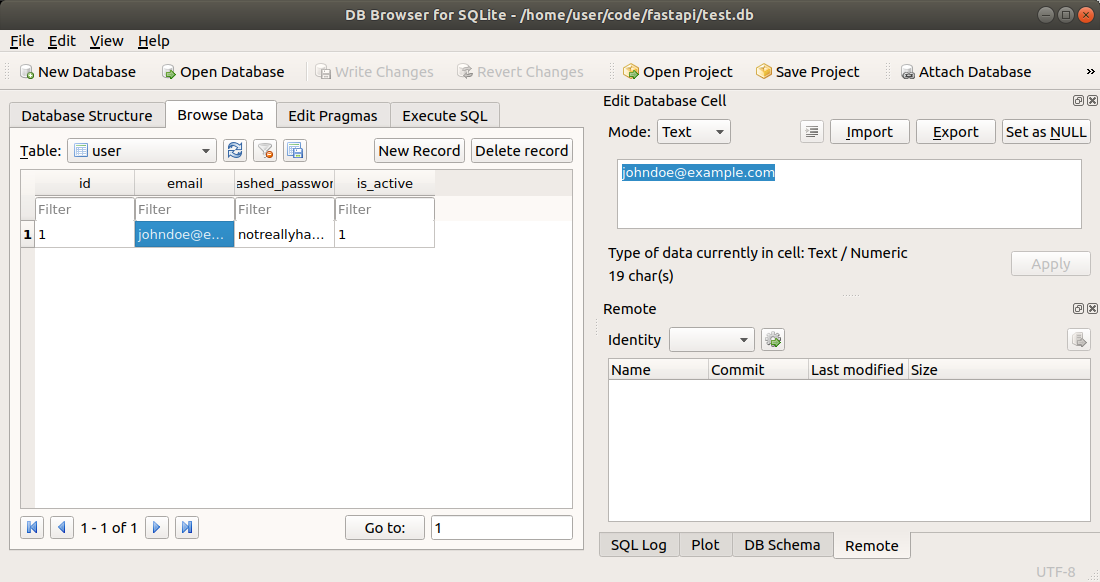
如果你进入 /docs API UI,你会看到它现在已经更新,并且在创建 hero 时,它不会再期望从客户端接收 id 数据等。
总结
你可以使用 SQLModel 与 SQL 数据库进行交互,并通过数据模型和表模型简化代码。
你可以在 SQLModel 文档中学习到更多内容,其中有一个更详细的将 SQLModel 与 FastAPI 一起使用的迷你教程。🚀











暂无评论内容